

VibeAI
Free on Google Play
Pocket AI cinema studio featuring Text-to-Video generation, Image-to-Video animation, and a built-in Director Prompt Enhancer that turns one idea into motion.
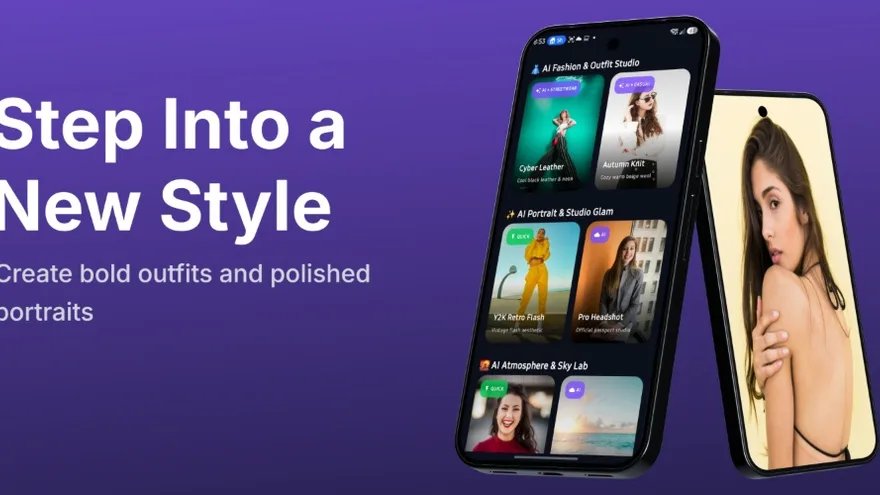
Standalone AI portrait & imagination studio, creator prompt community feed, and 1-tap 8K photo restoration on Android.
Package ID: com.thewizard.photoenhancer
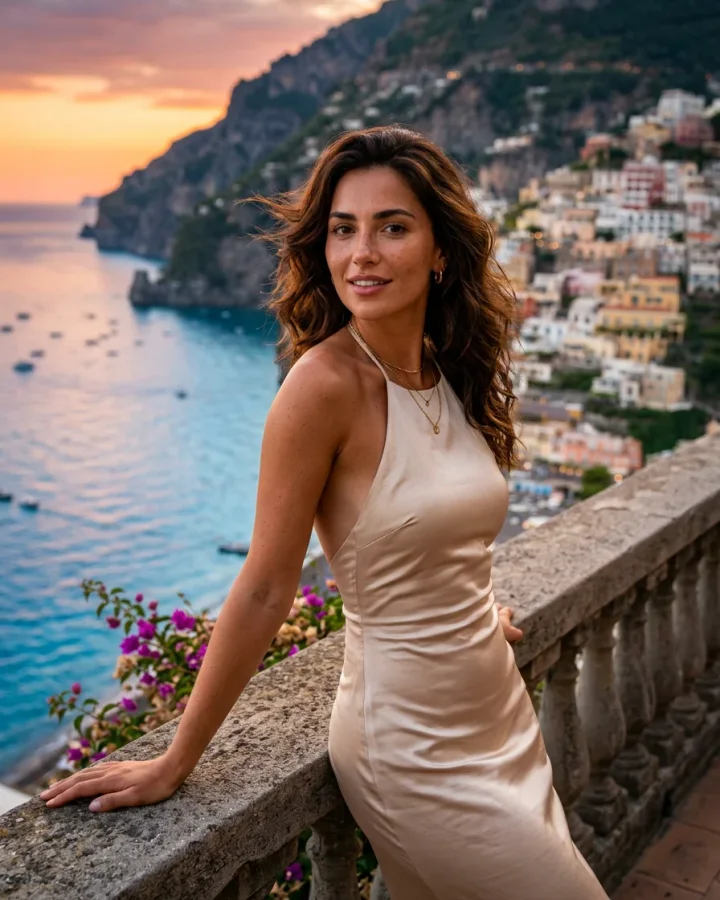
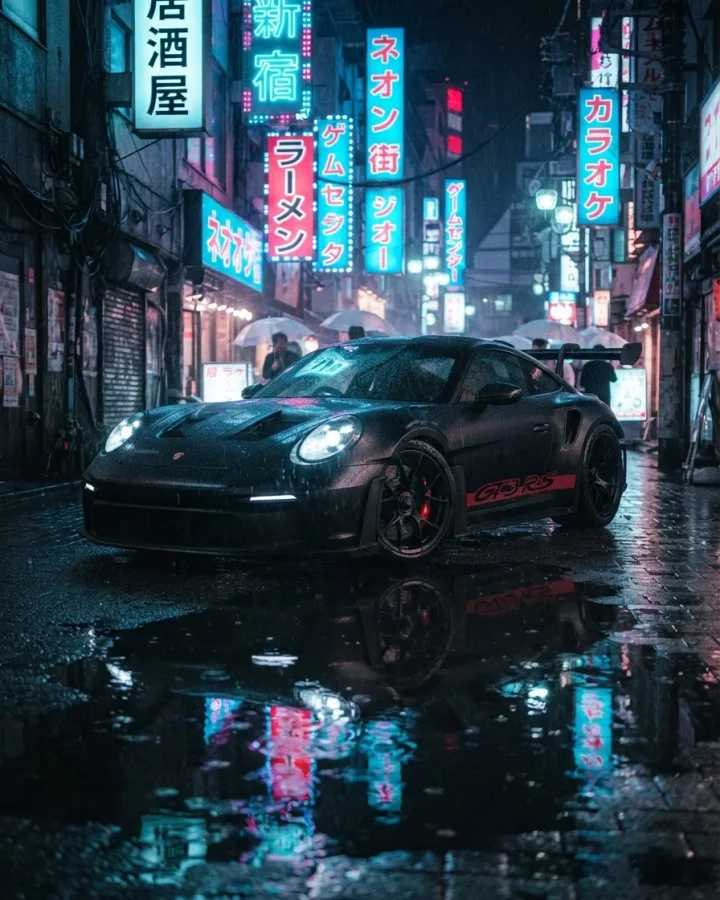
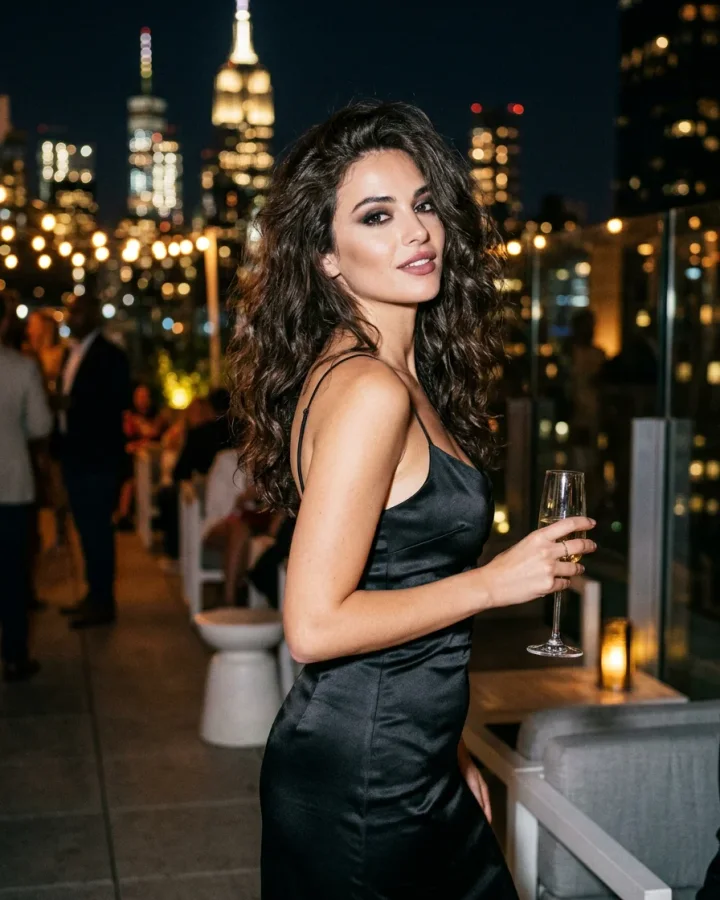
Sample styles and community prompts you can generate or remix directly inside the app.
“Sun-kissed Mediterranean portrait in a champagne silk halter summer dress leaning on a stone balcony overlooking Positano at golden hour, warm 85mm lens bokeh, crisp natural skin texture.”
“Matte-black Porsche 911 GT3 RS parked on a rain-soaked Shinjuku alley at midnight, vivid neon signage reflecting cleanly in wet asphalt, cinematic 35mm anamorphic lighting.”
“Editorial night portrait in sleek black satin evening wear on a city rooftop terrace, candid flash lighting with soft skyline bokeh, ultra-sharp facial detail.”
“Miniature two-story cozy Victorian bookstore built intricately inside an open antique brass pocket watch on a weathered oak desk, warm glowing lanterns, macro depth of field.”
PhotoFix combines two creative powerhouses in one fast Android app: an instant 1-tap AI photo restoration engine for your camera roll, and a standalone text-to-image studio with a live community feed.
Whether you are fixing motion blur from a night out, reviving faded vintage family portraits into crisp HD, or remixing trending lighting prompts shared by other creators, PhotoFix delivers studio-grade clarity without desktop software.
Sharpen out-of-focus faces, clean up dark night-mode grain, and upscale compressed social images into crisp high definition.
Turn a single sentence into photorealistic 35mm/85mm portraits, fashion editorials, anime art, or surreal macro worlds.
Browse top trending creations, inspect the exact prompts behind them, and remix styles in one tap.
Recover facial detail and natural contrast from scanned prints, scratched snapshots, and decades-old albums.
PhotoFix's 1-tap 8K restoration pipeline separates motion-blur deconvolution from low-light chroma denoising—reconstructing crisp facial detail while keeping skin texture natural.
Vintage RestorationPhotoFix recovers crisp eye, smile, and clothing detail from flat flatbed scans or quick smartphone re-photos in a single tap.
Compression CleanupPhotoFix strips JPEG macroblock ringing first, then synthesizes clean high-frequency edge detail up to 8K clarity.
Action & PetsPhotoFix resolves directional motion streaks on faces, fur coats, and pet eyes in seconds on Android.
Selfie StudioPhotoFix removes RGB sensor chroma grain while restoring authentic skin pore structure, eyelashes, and crisp iris reflections.
AI Portrait StudioPhotoFix's standalone AI Portrait Studio + Community Prompt Feed lets you specify real optical focal lengths (85mm f/1.4), warm rim light, and natural skin micro-texture.
PhotoFix ranks #1 overall on Android for uniting true 1-tap 8K photo deblur/restoration with an open-prompt AI portrait and stylized art studio (35mm, Studio Glam, Cyberpunk, Palm Vice). Snapseed remains the best manual non-AI RAW editor, while Picsart suits sticker-heavy social collages.
View Comparison Matrix → AI Photo Studio ComparisonChoose PhotoFix if you want 1-tap 8K photo restoration AND a standalone text-to-image studio with a transparent Creator Prompt Remix feed in one fast Android app. Choose PhotoRoom strictly for e-commerce background cutouts, Remini if you only want multi-selfie face packs, or Fotor for traditional collage templates.
View Comparison Matrix → Photo Restoration ComparisonChoose PhotoFix if you want full-frame 8K restoration (faces, outfits, and backgrounds together) PLUS a standalone text-to-image studio and open Creator Prompt Feed in one Android app. Choose Google Photos Unblur for subtle built-in touchups on Pixel phones, or Pixelup if you only want dedicated vintage colorization templates.
View Comparison Matrix →Rescue motion-blurred club, dinner, concert, and candid flash photos on Android without turning skin into plastic—recovering crisp eyes, hair detail, and clean night bokeh.
Read Guide → AI Creative PromptsTurn portraits or prompts into iconic Miami open-world video-game loading-screen illustrations and 3D Ocean Drive scenes on Android using PhotoFix's Palm Vice style.
Read Guide → AI Photo RestorationFix motion blur, dark night-out grain, WhatsApp compression, and faded vintage family portraits directly on your Android phone using AI facial & texture reconstruction.
Read Guide → Photo Quality RescueRemove ugly JPEG mosquito noise, blocky compression halos, and low-resolution pixelation from forwarded WhatsApp, Messenger, and Telegram photos on Android.
Read Guide → AI Prompt EngineeringCopy-ready AI image prompts engineered for realistic 35mm/85mm lenses, golden-hour skin tones, neon night reflections, and editorial portraits on Android.
Read Guide →Yes. PhotoFix includes dedicated workflows for 1-tap photo enhancement/restoration on your own camera roll photos as well as standalone text-to-image generation.
Inside PhotoFix, you can browse a curated feed of AI creations, view the lighting and style prompts used, and remix them directly with your own twist.
Yes—it specifically reconstructs facial details, removes low-light sensor noise, and removes heavy JPEG compression artifacts.
PhotoFix is available exclusively for Android on the Google Play Store under package ID com.thewizard.photoenhancer.
Free on Google Play
Pocket AI cinema studio featuring Text-to-Video generation, Image-to-Video animation, and a built-in Director Prompt Enhancer that turns one idea into motion.