
How to Unblur, Upscale & Restore Old or Low-Light Photos on Android in 1 Tap
Fix motion blur, dark night-out grain, WhatsApp compression, and faded vintage family portraits directly on your Android phone using AI facial & texture reconstruction.
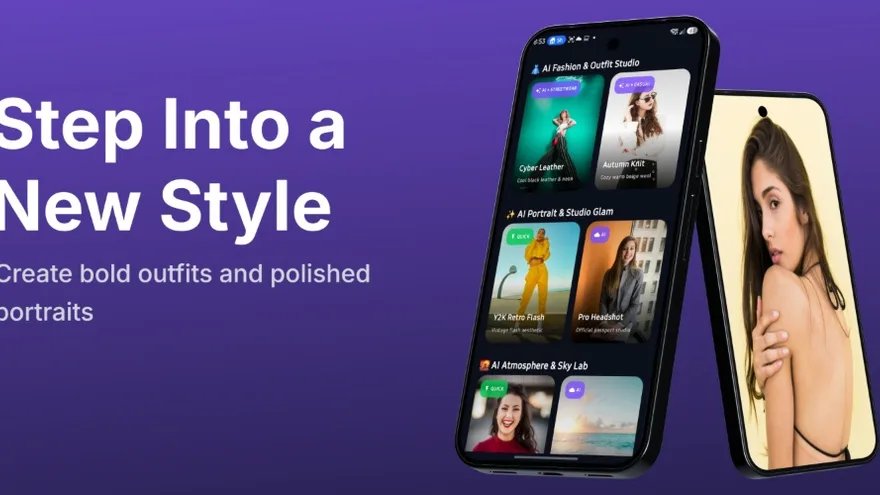
Every camera roll has a handful of irreplaceable shots ruined by a split second of camera shake, dim restaurant lighting, heavy messaging-app compression, or decades of paper fading. Until recently, recovering real detail meant hours of desktop retouching—and even then, traditional “sharpen” sliders mostly amplified ugly grain.
Here is how modern on-mobile AI photo restoration works on Android, when it shines, and how to get natural, razor-sharp results in seconds with PhotoFix - AI Photo Enhancer.
Why Regular Phone Editors Can’t Fix True Blur
When a smartphone shutter drags in low light or an old image is saved at 640×480, fine high-frequency details—iris reflections, hair strands, skin pores, and fabric texture—are physically missing from the file.
- Standard Contrast Sharpening: Multiplies contrast between neighboring pixels, turning sensor noise into gritty “salt-and-pepper” artifacts.
- Generative AI Reconstruction: Identifies faces, eyes, textiles, and background depth separately, synthesizing natural optical detail while smoothing out ISO chroma noise.
Step-by-Step: Rescuing Blurry or Vintage Photos on Android
- Start with the Highest-Resolution Copy You Have: If a friend sent the photo over WhatsApp or Messenger, ask if they still have the original file—or grab the best copy in your gallery. Even heavily compressed shots recover dramatically, but every extra pixel helps.
- Capture Printed Albums Without Glare: For old paper photographs, place the print flat near soft indirect daylight (never use direct flash head-on, which leaves a white hotspot).
- Run 1-Tap AI Enhancement in PhotoFix: Open PhotoFix on Android, select your photo from the gallery, and trigger the enhancement pass. Use the interactive Before / After slider to inspect facial fidelity and background sharpness before saving in crisp HD.
4 Everyday Shots Where AI Upscaling Makes the Biggest Difference
| Scenario | Typical Problem | What AI Restoration Fixes |
|---|---|---|
| Night-Out & Concert Shots | Heavy ISO grain + slight motion blur | Cleans blotchy color noise while locking eyes and smiles into focus |
| Old Family Prints (1960s–2000s) | Faded contrast, soft lenses, paper texture | Revives crisp facial features and balanced tonal range |
| Cropped Group Photos | Zooming in turns faces pixelated | Upscales cropped portraits up to 4×–8× cleanly |
| Compressed Social Saves | Blocky JPEG squares around faces | Strips compression artifacts for clean reprints or profile pictures |
Bonus: Go Beyond Restoration with the Prompt Community
Once your camera roll is rescued, PhotoFix also includes a standalone AI Portrait & Scene Generator paired with a live Community Feed—letting you browse trending studio lighting styles, inspect the exact prompts other creators used, and remix them in one tap.

PhotoFix - AI Photo Enhancer
Rescue blurry, grainy, low-light, or old family photos in one tap—or generate hyper-real AI portraits and remix viral prompts inside the built-in community feed.
Frequently Asked Questions
Why do traditional sharpening sliders make blurry photos look worse? +
Standard sharpen filters only boost edge contrast on existing blurry pixels, creating harsh white halos and digital noise. Modern AI restoration reconstructs missing facial geometry, eyelashes, fabric weave, and clean lighting.
Can I restore physical printed family photos with my phone? +
Yes. Photograph the printed picture near indirect window light at a slight angle to avoid glare, crop around the border, and run 1-tap restoration in PhotoFix.
More Android Guides
All Articles →AI Video Camera Movement Prompts Guide: Dolly, Pan, Orbit & FPV Verbs That Actually Work
Master the exact cinematography terms—gimbal dolly push-in, 180-degree orbit, low-angle chase rig, crane reveal, and handheld 35mm drift—that unlock pro AI videos on Android.
AI Video TutorialsHow to Animate Any Still Portrait into a Cinematic Video Reel on Android
Step-by-step workflow to turn a static portrait, fashion shot, or AI artwork into a smooth 9:16 video clip with natural camera motion and breeze physics using VibeAI.
Google Pixel GuidesHow to Automatically Change Wallpapers on Google Pixel from a Local Folder
Google Pixel's built-in Wallpaper & Style app only rotates curated Google collections once a day. Here is how to auto-rotate your own offline local folders or MP4 videos on Pixel 6, 7, 8, 9 & 10.