
AI Video Camera Movement Prompts Guide: Dolly, Pan, Orbit & FPV Verbs That Actually Work
Master the exact cinematography terms—gimbal dolly push-in, 180-degree orbit, low-angle chase rig, crane reveal, and handheld 35mm drift—that unlock pro AI videos on Android.
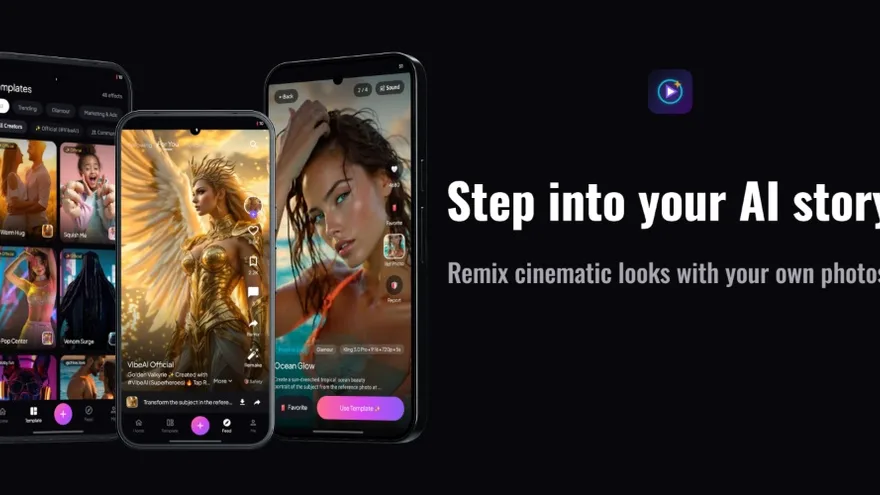
The #1 difference between an amateur AI video clip that looks like a wobbling GIF and a scroll-stopping cinema shot is camera vocabulary.
AI video models are trained on film and cinematography descriptions. When you write “cool sports car in tunnel”, the camera sits frozen. When you write “low-angle chase-rig tracking shot roaring out of a stone mountain tunnel into blinding alpine sunlight”, the entire frame comes alive with speed and parallax.
Use this cheat sheet inside VibeAI: AI Video Creator—or test combinations interactively in our Director Prompt Builder.
The 6 Essential AI Camera Rig Prompts
| Camera Direction Phrase | Visual Effect on Screen | Best Scene Types |
|---|---|---|
Slow stabilized gimbal dolly push-in |
Smoothly glides forward through foreground depth toward your subject | Portraits, cafes, luxury interiors, product reveals |
Subtle handheld 35mm cinema camera drift |
Organic human camera micro-motion that feels like real film, never robotic | Travel terraces, street lifestyle, golden-hour beaches |
Smooth 180-degree orbiting arc shot |
Circles cleanly around a hero subject while background lights sweep past | Rooftop glamour, cyberpunk characters, superheroes |
Low-angle high-speed tracking chase rig |
Skims inches above wet asphalt or terrain with dramatic speed sense | Hypercars, cyber-motorcycles, action sprints |
Sweeping upward crane reveal |
Rises from an intimate foreground detail to unveil a massive horizon | Fantasy dragons, alpine cliffs, futuristic skylines |
100mm macro rack focus |
Shifts razor-thin focus smoothly from foreground droplets to main subject | Espresso steam, mechanical watches, luxury beauty |
The Golden Rule: One Camera Vector Per 5-Second Clip
Never chain conflicting camera instructions like “dolly in while zooming out and crane up and pan left” in a single short clip—conflicting vectors force the model to warp geometry. Pick one clear camera rig, one lighting mood, and one primary subject motion.
Want to see 18 real MP4 videos rendered with these exact camera prompts? Browse the VibeAI Cinema Videos tab inside our AI Prompt Vault.

VibeAI: AI Video Creator
Pocket AI cinema studio featuring Text-to-Video generation, Image-to-Video animation, and a built-in Director Prompt Enhancer that turns one idea into motion.
Frequently Asked Questions
Why does writing 'cinematic video' alone produce boring static AI clips? +
'Cinematic' is too vague to tell a video diffusion model where the camera lens moves in 3D space. Using physical rig terms like 'slow gimbal dolly push-in' or 'low-angle tracking chase shot' gives the model unambiguous motion vectors.
What is the difference between a camera zoom and a dolly push-in in AI video prompts? +
A zoom only magnifies flat pixels from a fixed spot, whereas a 'dolly push-in' physically moves the virtual camera through the scene, creating gorgeous 3D foreground-to-background parallax.
Can I generate camera prompts automatically without memorizing film school terms? +
Yes! VibeAI (com.thewizard.aivideo) includes a built-in Director Prompt Enhancer on Android, and you can also use our free interactive web Prompt Builder at thewizardapps.com/tools/prompt-builder.
More Android Guides
All Articles →How to Animate Any Still Portrait into a Cinematic Video Reel on Android
Step-by-step workflow to turn a static portrait, fashion shot, or AI artwork into a smooth 9:16 video clip with natural camera motion and breeze physics using VibeAI.
Google Pixel GuidesHow to Automatically Change Wallpapers on Google Pixel from a Local Folder
Google Pixel's built-in Wallpaper & Style app only rotates curated Google collections once a day. Here is how to auto-rotate your own offline local folders or MP4 videos on Pixel 6, 7, 8, 9 & 10.
Samsung & One UI TipsHow to Change Wallpaper on Every Unlock on Samsung Galaxy & Android (Unlimited Folder Guide)
Bypass Samsung One UI's 15-image Lock Screen pack limit and rotate hundreds of local 4K wallpapers automatically on every screen unlock across Samsung Galaxy S24/S25, Fold, A-Series, and all Android phones.