
How to Animate Any Still Portrait into a Cinematic Video Reel on Android
Step-by-step workflow to turn a static portrait, fashion shot, or AI artwork into a smooth 9:16 video clip with natural camera motion and breeze physics using VibeAI.
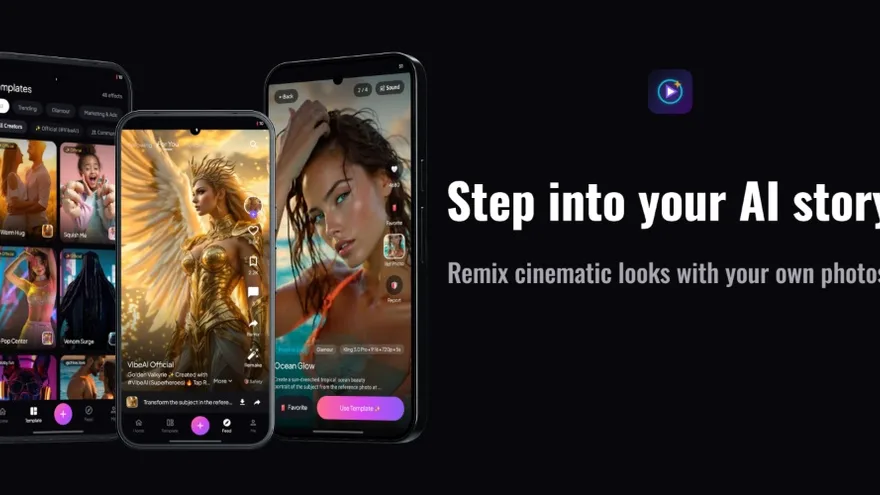
Static photos get scrolled past in under a second on modern vertical feeds, whereas a 5-second living portrait—where golden-hour wind catches silk fabric, ocean waves shimmer in out-of-focus bokeh, and the camera glides gently forward—immediately commands attention on Instagram Reels, TikTok, and YouTube Shorts.
Here is the exact Android workflow to turn any still picture into fluid cinema motion without desktop editing software.
Step 1: Prep a Clean, High-Detail Starting Frame
In generative Image-to-Video, your uploaded photo acts as the anchor frame for every subsequent millisecond of motion.
- Choose a photo where your subject’s face is unobstructed and clearly separated from the background.
- Pro Tip: If the photo is dark, grainy, or saved from a chat app, unblur it in 1 tap with PhotoFix first so the video engine starts with razor-sharp eyes and skin texture.
Step 2: Load into VibeAI Image-to-Video
- Open VibeAI: AI Video Creator (
com.thewizard.aivideo) on Android. - Select Image-to-Video and pick your portrait or artwork from your gallery.
- Add a concise motion direction—or tap VibeAI’s Director Prompt Enhancer to expand a short phrase automatically.
Three Proven Portrait Motion Prompts to Copy
- Coastal / Travel Portrait:
Gentle coastal breeze moving hair and linen dress, sunlit ocean waves sparkling in background bokeh, smooth handheld 85mm camera parallax. - Night City / Rooftop Glam:
Subtle confident head turn toward camera, city skyline lights twinkling softly in out-of-focus night bokeh, slow stabilized dolly push-in. - Fashion / Editorial Studio:
Fluid couture fabric motion under studio rim lighting, natural eye blink and poised expression, crisp telephoto runway compression.
Step 3: Export for Reels—or Set as a Live Lock Screen
Once rendered, share your vertical clip straight to Reels, Shorts, or TikTok—or load the MP4 into Wallpaper Rotator to use your living portrait as a battery-smart Android live wallpaper!
See how VibeAI compares against Motionleap, CapCut, and Pika in our Best Photo-to-Video AI Apps on Android Comparison.
VibeAI: AI Video Creator
Pocket AI cinema studio featuring Text-to-Video generation, Image-to-Video animation, and a built-in Director Prompt Enhancer that turns one idea into motion.
Frequently Asked Questions
What kind of photos animate best in Image-to-Video AI? +
Clear, well-lit portraits or three-quarter shots with natural depth (such as a balcony, street bokeh, ocean horizon, or studio backdrop behind the subject) produce the richest 3D camera parallax and hair/fabric motion.
What should I do if my source portrait is slightly blurry or low-res? +
Run a quick 1-tap 8K restoration in PhotoFix (com.thewizard.photoenhancer) first. Starting from a sharp, artifact-free source image dramatically improves facial stability in Image-to-Video generation.
Why did my animated portrait warp when I asked for too much action? +
Asking a single still frame to perform three separate actions at once causes temporal drift. Stick to one natural subject action (e.g., 'subtle warm smile and hair catching coastal breeze') paired with one camera movement ('slow 85mm handheld push-in').
More Android Guides
All Articles →AI Video Camera Movement Prompts Guide: Dolly, Pan, Orbit & FPV Verbs That Actually Work
Master the exact cinematography terms—gimbal dolly push-in, 180-degree orbit, low-angle chase rig, crane reveal, and handheld 35mm drift—that unlock pro AI videos on Android.
Google Pixel GuidesHow to Automatically Change Wallpapers on Google Pixel from a Local Folder
Google Pixel's built-in Wallpaper & Style app only rotates curated Google collections once a day. Here is how to auto-rotate your own offline local folders or MP4 videos on Pixel 6, 7, 8, 9 & 10.
Samsung & One UI TipsHow to Change Wallpaper on Every Unlock on Samsung Galaxy & Android (Unlimited Folder Guide)
Bypass Samsung One UI's 15-image Lock Screen pack limit and rotate hundreds of local 4K wallpapers automatically on every screen unlock across Samsung Galaxy S24/S25, Fold, A-Series, and all Android phones.