
How to Turn Text & Photos into Cinematic AI Short Videos on Android
Learn how to write camera-motion prompts and animate still portraits into scroll-stopping clips for Instagram Reels, TikTok, and YouTube Shorts with VibeAI.
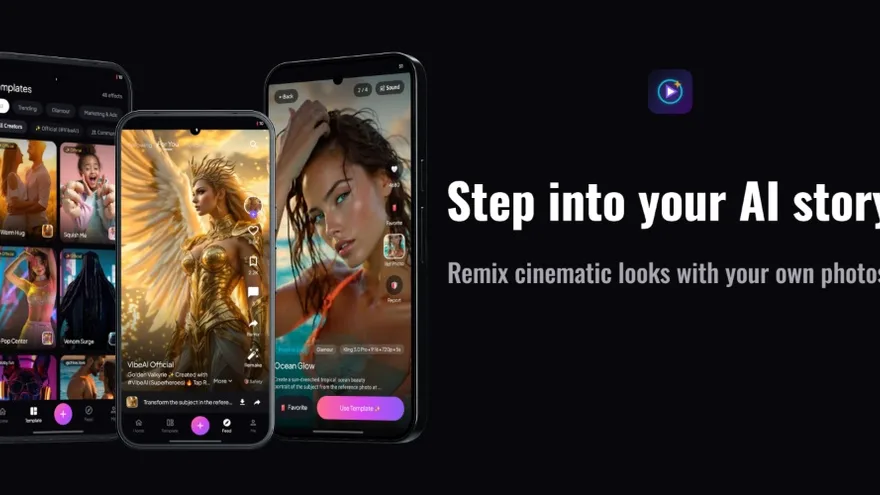
Short-form feeds on Instagram Reels, YouTube Shorts, and TikTok reward immediate visual motion in the first 1.5 seconds. With modern mobile AI cinema models inside VibeAI: AI Video Creator, you no longer need a desktop GPU rig or complex timeline editors to render atmospheric b-roll, character stories, or animated portraits.
Here is how to pick the right generation mode and direct smooth, believable motion on your Android phone.
When to Use Text-to-Video vs. Image-to-Video
- Start with Text-to-Video when you want dramatic environmental motion, sci-fi/action trailers, stylized miniature worlds, or fast concept exploration from a single sentence.
- Start with Image-to-Video when you already have a specific portrait, product shot, or PhotoFix artwork whose exact face, outfit, and framing you want to keep consistent while bringing hair, water, lights, and camera movement to life.
3 Camera-Motion Cues That Elevate AI Video Clips
AI video models respond dramatically better when you name one clear camera move instead of leaving the camera static or chaotic:
- Slow Dolly Push-In: “Slow cinematic camera push-in toward the subject as neon city lights shimmer in soft background bokeh.” Creates instant emotional focus.
- Low-Angle Tracking Shot: “Low-angle tracking shot following a futuristic motorcycle drifting around a rain-slicked corner with sparks.” Delivers high-energy speed.
- Subtle Handheld Parallax: “Gentle handheld camera sway on a sunlit yacht deck at golden hour, ocean breeze moving silk fabric in slow motion.” Feels organic and human rather than robotic.
Let the Director Prompt Enhancer Write the Details
If you only have a quick five-word concept—like “astronaut walking through glowing cherry blossoms”—turn on VibeAI’s built-in Director Prompt Enhancer. It automatically expands your idea with lighting direction, atmospheric depth, lens pacing, and motion physics before rendering.
Workflow Tip: Pair PhotoFix + VibeAI Together
Many mobile creators use a two-step studio pipeline right on Android:
VibeAI: AI Video Creator
Pocket AI cinema studio featuring Text-to-Video generation, Image-to-Video animation, and a built-in Director Prompt Enhancer that turns one idea into motion.
Frequently Asked Questions
What is the difference between Text-to-Video and Image-to-Video? +
Text-to-Video generates an entire scene from scratch using your written description. Image-to-Video starts from an exact photo or AI portrait you upload, preserving the subject and composition while animating realistic movement.
How long should a prompt be for AI video generation? +
One to two clear sentences focusing on a single continuous action and one camera movement work far better than trying to pack multiple scene cuts into a single clip.
More Android Guides
All Articles →AI Video Camera Movement Prompts Guide: Dolly, Pan, Orbit & FPV Verbs That Actually Work
Master the exact cinematography terms—gimbal dolly push-in, 180-degree orbit, low-angle chase rig, crane reveal, and handheld 35mm drift—that unlock pro AI videos on Android.
AI Video TutorialsHow to Animate Any Still Portrait into a Cinematic Video Reel on Android
Step-by-step workflow to turn a static portrait, fashion shot, or AI artwork into a smooth 9:16 video clip with natural camera motion and breeze physics using VibeAI.
Google Pixel GuidesHow to Automatically Change Wallpapers on Google Pixel from a Local Folder
Google Pixel's built-in Wallpaper & Style app only rotates curated Google collections once a day. Here is how to auto-rotate your own offline local folders or MP4 videos on Pixel 6, 7, 8, 9 & 10.