
Faceless YouTube Shorts & TikTok AI Video Workflow on Android (Zero Desktop Needed)
Build high-retention faceless YouTube Shorts, Instagram Reels, and TikTok channels entirely from your Android phone using PhotoFix key frames and VibeAI cinema clips.
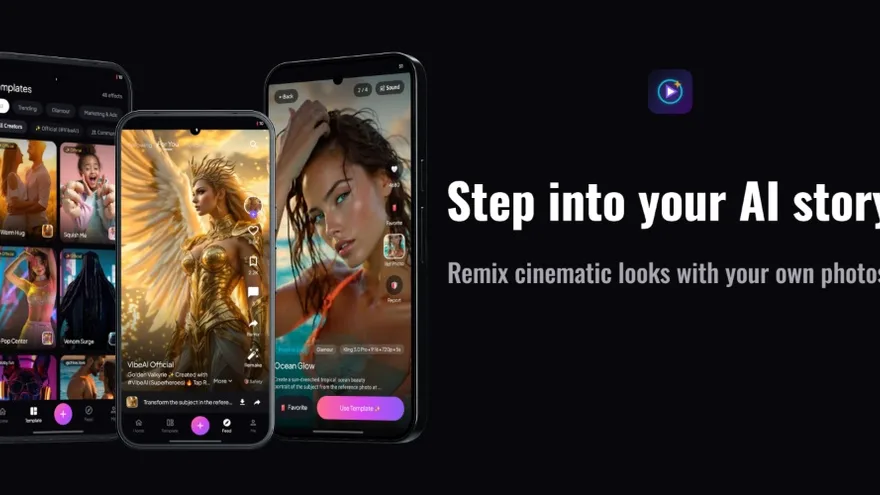
The highest-performing faceless channels on YouTube Shorts, TikTok, and Instagram Reels no longer recycle generic stock footage everyone has already seen ten times. Instead, they win the first 2 seconds of viewer retention with custom, scroll-stopping visual hooks—a Golden Retriever airline captain in a sunlit cockpit, a miniature Victorian bookstore inside a pocket watch, or a rain-soaked Neo-Seoul drift.
Here is the complete 15-minute mobile pipeline to produce cohesive Shorts right on your Android phone.
Step 1: Script Around 4–6 Visual Beats (5 Seconds Each)
A tight 25-second Short needs only five distinct 5-second visual shots:
- 0:00–0:04 (The Pattern-Interrupt Hook): Bold motion, extreme scale, or an unexpected character close-up.
- 0:04–0:19 (3 Story Beats): Supporting angles that advance the curiosity loop.
- 0:19–0:25 (Payoff / Loop Frame): Visual resolution that connects cleanly back to frame #1 for seamless replay loops.
Step 2: Anchor Consistent Aesthetics (Optional PhotoFix + VibeAI Combo)
Want identical character design or architectural styling across multiple shots?
- Generate your crisp 8K hero frames in PhotoFix using a shared aesthetic preset (browse 53 examples in our Prompt Vault).
- Feed each frame into VibeAI: AI Video Creator (
com.thewizard.aivideo) via Image-to-Video, or generate fresh B-roll directly in Text-to-Video using VibeAI’s Director Prompt Enhancer.
Step 3: Assemble Voiceover, Captions & Export in 9:16
Drop your 5 rendered VibeAI MP4 clips into your favorite mobile timeline editor or YouTube Shorts’ native Sound/Voiceover tool, cut on the beat every 3.5–4.5 seconds, and publish!
Comparing mobile AI video studios before you start? Read our Best AI Video Generator Apps on Android Breakdown.
VibeAI: AI Video Creator
Pocket AI cinema studio featuring Text-to-Video generation, Image-to-Video animation, and a built-in Director Prompt Enhancer that turns one idea into motion.
Frequently Asked Questions
Can you really run a faceless Shorts or TikTok channel solely from an Android phone? +
Yes. By generating cohesive 9:16 visual hooks and B-roll clips in VibeAI (or starting with consistent character/scene frames from PhotoFix), you can produce, assemble, caption, and publish vertical shorts entirely on Android.
How do I keep visual style consistent across all clips in a 30-second Short? +
Lock in a repeatable style suffix—for example, '35mm Kodak Portra film grain, warm golden-hour rim light' or 'Pixar-grade 3D miniature character, shallow macro bokeh'—across every shot in your script.
What niches perform best for AI-generated short-form video? +
History & mythology visualizers, sci-fi/cyberpunk worldbuilding, funny 3D food/animal micro-skits, luxury travel aesthetics, and motivational stoic/cinema essays consistently earn high watch-through rates.
More Android Guides
All Articles →AI Video Camera Movement Prompts Guide: Dolly, Pan, Orbit & FPV Verbs That Actually Work
Master the exact cinematography terms—gimbal dolly push-in, 180-degree orbit, low-angle chase rig, crane reveal, and handheld 35mm drift—that unlock pro AI videos on Android.
AI Video TutorialsHow to Animate Any Still Portrait into a Cinematic Video Reel on Android
Step-by-step workflow to turn a static portrait, fashion shot, or AI artwork into a smooth 9:16 video clip with natural camera motion and breeze physics using VibeAI.
Google Pixel GuidesHow to Automatically Change Wallpapers on Google Pixel from a Local Folder
Google Pixel's built-in Wallpaper & Style app only rotates curated Google collections once a day. Here is how to auto-rotate your own offline local folders or MP4 videos on Pixel 6, 7, 8, 9 & 10.