
How to Open Unknown File Extensions (.bin, .dat, .log & Configs) on Android
Getting 'Can't open file' on Android? Learn why downloaded attachments fail to open and how magic-byte header inspection reveals what's actually inside.
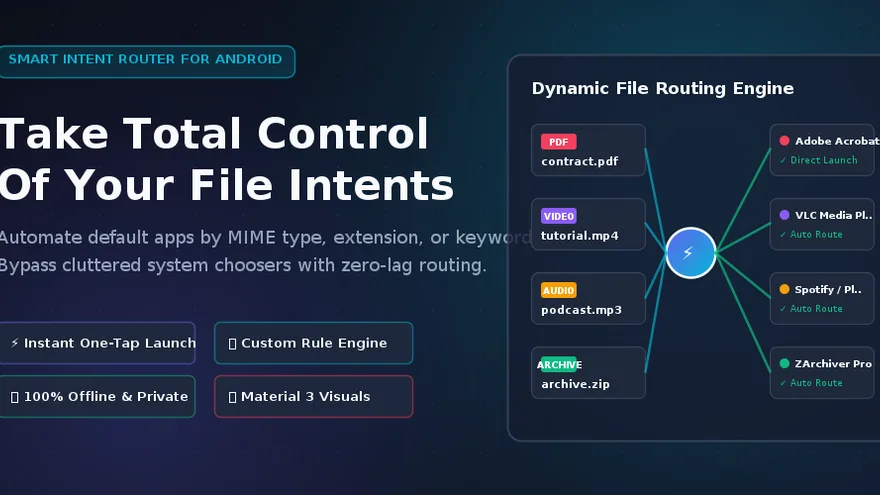
Few Android errors are more frustrating than tapping an important email attachment, exported backup, or browser download only to see a dead-end toast message: “Can’t open file — No app found to open this file type.”
In most cases, the file isn’t corrupted at all—Android simply relies on the filename suffix (.bin, .dat, .log, .cfg, .json) instead of checking what is actually inside the file.
Why .bin and .dat Files Appear on Your Phone
- Misconfigured Web Downloads (
download.bin): Many portals serve invoices, tickets, or archives asapplication/octet-stream. Your browser saves the raw bytes faithfully, slaps.binonto the filename, and leaves Android guessing. - Email Gateways (
winmail.dat/ generic.dat): Legacy mail servers or app exports frequently wrap text, vCards, or documents inside.datcontainers. - Developer & Router Logs (
.log,.conf,.xml,.yaml): Built-in gallery and document viewers ignore plain-text diagnostic files because their extensions aren’t.txt.
How Magic-Byte Signature Detection Solves It
Every major file format begins with a hidden fingerprint in its very first bytes—known as magic bytes:
- A PDF always starts with
%PDF-(25 50 44 46). - A ZIP / APK / DOCX archive starts with
PK(50 4B 03 04). - A PNG image starts with
89 50 4E 47.
Smart File Opener: Open With reads those header bytes locally on your Android device in milliseconds:
- Tap the mystery file in your Files app or select Share / Open With → Smart File Opener.
- Instantly see the detected real format, MIME type, and file metadata.
- Preview structured text, JSON/XML, or raw hex directly in the built-in viewer—or route the file to the right reader app with zero guesswork and zero cloud uploads.
Smart File Opener: Open With
Downloaded a mysterious .bin, .dat, .json, .xml, .log, or unknown attachment Android refuses to open? Smart File Opener detects the real file signature and lets you view or route it cleanly.
Frequently Asked Questions
Why does Android download some PDFs or images as downloadfile.bin? +
When a web server sends an attachment with a generic MIME header (application/octet-stream) or malformed Content-Disposition header, mobile browsers fall back to naming the file .bin even though the actual file inside is a normal PDF, ZIP, or JPEG.
Is it safe to inspect an unknown .dat file locally? +
Viewing a file's header signature, plain text, or hex bytes in a read-only inspector does not execute code, making it a safe way to verify what an attachment actually is.
More Android Guides
All Articles →AI Video Camera Movement Prompts Guide: Dolly, Pan, Orbit & FPV Verbs That Actually Work
Master the exact cinematography terms—gimbal dolly push-in, 180-degree orbit, low-angle chase rig, crane reveal, and handheld 35mm drift—that unlock pro AI videos on Android.
AI Video TutorialsHow to Animate Any Still Portrait into a Cinematic Video Reel on Android
Step-by-step workflow to turn a static portrait, fashion shot, or AI artwork into a smooth 9:16 video clip with natural camera motion and breeze physics using VibeAI.
Google Pixel GuidesHow to Automatically Change Wallpapers on Google Pixel from a Local Folder
Google Pixel's built-in Wallpaper & Style app only rotates curated Google collections once a day. Here is how to auto-rotate your own offline local folders or MP4 videos on Pixel 6, 7, 8, 9 & 10.